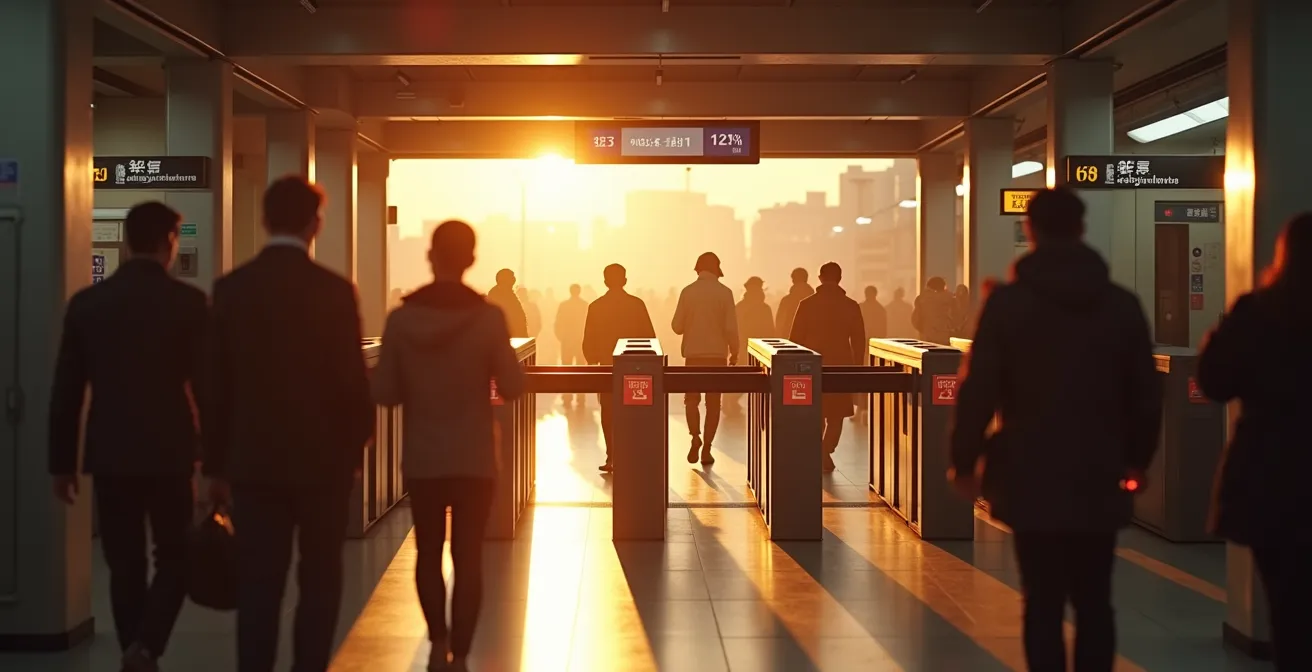
For modern Tokyo travel, the key decision isn’t Suica versus Pasmo, but physical card versus digital wallet—with the digital option offering superior convenience and security.
- Digital IC cards in Apple Wallet allow instant, on-the-go recharges with a credit card, eliminating the need for cash and ticket machines.
- Both physical and digital cards are universally accepted across major Japanese cities like Kyoto and Osaka, but digital versions bypass language barriers on vending machines.
Recommendation: Set up a Suica card in your Apple Wallet before you arrive to enjoy a truly frictionless transit experience from the moment you land.
For any traveler planning a trip to Tokyo, the question of “Suica or Pasmo?” quickly arises. These rechargeable smart cards are the keys to the city’s sprawling, yet incredibly efficient, public transport network. For years, the debate has been a minor one, as the cards are functionally identical and interchangeable. They both grant access to trains, buses, vending machines, and convenience stores with a simple tap. This initial question, however, often distracts from a more fundamental shift in urban mobility.
The conversation today is no longer about two competing brands of plastic. The real choice lies between the traditional, physical IC card and its powerful, digital counterpart living inside your smartphone. While a physical card is a classic souvenir and a reliable tool, it belongs to a legacy system with inherent frictions: queuing at machines to top up with cash, deciphering Japanese-only interfaces, and the risk of loss or theft. These small hassles, compounded over a trip, can detract from the seamless experience Tokyo aims to provide.
This guide reframes the discussion. We will move beyond the superficial Suica vs. Pasmo comparison and dive into the practicalities of a wallet-first approach. We’ll explore why adding a Suica to your Apple Wallet is not just a convenience but a strategic upgrade to your travel experience. We’ll cover everything from its security benefits and universal usability across Japan to the simple, practical steps for managing your funds and navigating the city like a local, proving that the best IC card is the one you already have in your pocket.
To help you master Tokyo’s payment ecosystem, this article breaks down every aspect of using an IC card, from digital setup to managing physical card refunds. The following sections will guide you through each step for a seamless journey.
Summary: Your Complete Guide to IC Cards in Tokyo and Beyond
- Why Adding Suica to Apple Wallet Is Better Than a Physical Card?
- Can You Use Your Tokyo Suica Card in Kyoto and Osaka?
- Vending Machines and Konbini: Where Else Can You Pay With IC Cards?
- How to Get Your 500 Yen Deposit Back Before Leaving Japan?
- What to Do When the Gate Beeps Red Due to Insufficient Funds?
- Luup Scooters: How to Rent Electric Scooters in Tokyo?
- How to Decipher Kanji on the Ticket Vending Machine?
- Taxi or Subway: When Is the Cab Fare Worth the Cost in Tokyo?
Why Adding Suica to Apple Wallet Is Better Than a Physical Card?
The primary advantage of a digital Suica in Apple Wallet is the elimination of friction. A physical card requires you to find a machine, insert cash, and top up your balance. A digital card, by contrast, can be recharged instantly, anywhere, using a linked credit card. This is especially useful late at night or in smaller stations with limited facilities. The integration is seamless; according to recent payment industry data, this level of convenience is why nearly 90% of transit IC cards in Japan are now available on mobile.
Security is another significant upgrade. A physical card, if lost, is gone forever along with its balance. A digital Suica is tied to your device and protected by biometric authentication like Face ID or Touch ID. This means unauthorized use is virtually impossible. Furthermore, if you lose your iPhone, you can restore your Suica card and its balance to a new device through your iCloud account, a safety net that physical cards simply don’t offer.

The “Express Mode” feature is the final piece of the puzzle. Once enabled, you don’t even need to wake or unlock your device. Simply hold your iPhone or Apple Watch near the ticket gate reader, and it works automatically, even if your device’s battery is low. This creates a travel experience that is faster and more fluid than fumbling for a physical card in your wallet, embodying the efficiency Tokyo’s transit system is famous for.
Your Action Plan: Express Mode Setup for Seamless Tokyo Transit
- Add your first Suica card to Apple Wallet; Express Mode activates automatically for instant gate access.
- Configure Service Mode through your device settings before handing it to station staff to prevent unauthorized transactions.
- Double-click the side button on your Apple Watch to easily switch between multiple IC cards if you have more than one.
- Top up instantly with a linked credit card (MasterCard and Amex are widely supported) without visiting a machine.
- Transfer your card between your iPhone and Apple Watch through the Wallet app settings, but remember only one device can hold the card at a time.
Can You Use Your Tokyo Suica Card in Kyoto and Osaka?
Yes, absolutely. Thanks to the Nationwide Mutual Usage Service, Japan’s ten major IC cards, including Suica (from JR East), Pasmo (Tokyo Metro), and Icoca (from JR West in the Kansai region), are almost completely interoperable. This means the Suica card you get in Tokyo will work seamlessly on virtually all trains, subways, and buses in Kyoto, Osaka, and other major cities like Nagoya and Fukuoka. You can tap on and off the subway in Kyoto or a bus in Osaka with the same card you used in Tokyo, without any extra setup. This system makes cross-country travel remarkably simple for tourists.
The interoperability extends beyond transit. Your Suica will be accepted at convenience stores, vending machines, and a growing number of shops and restaurants in the Kansai region, just as it is in Tokyo. However, there are a few key limitations to be aware of. The most significant is the “area-exit paradox.” According to travel experts at Japan-guide.com, it is not possible to use an IC card for continuous travel between different IC card regions, such as from the JR East area (Tokyo) to the JR West area (Kansai). You must manually exit the system at a boundary station and re-enter or buy a separate ticket. This primarily affects long-distance train journeys, not local travel within a city.
Another crucial point is card-specific functions. You cannot get a refund for your physical Suica card’s deposit in Osaka, as this must be done within the JR East service area where it was issued. The same rule applies to Icoca cards, which can only be returned in the JR West area. This is a key reason why a digital Suica is often superior; there is no deposit to worry about in the first place.
| Feature | Tokyo (Suica/Pasmo) | Kansai (Icoca) |
|---|---|---|
| Train Coverage | 100% JR & Metro lines | 100% JR & Private lines |
| Convenience Stores | Universal acceptance | Universal acceptance |
| Small Restaurants | High acceptance (70-80%) | Lower in historical areas (40-50%) |
| Refund Location | JR East stations only | JR West stations only |
| Top-up Process | Identical nationwide | Identical nationwide |
Vending Machines and Konbini: Where Else Can You Pay With IC Cards?
While IC cards are synonymous with transit, their utility extends far beyond the ticket gates, making them a cornerstone of Japan’s cashless infrastructure. The most common non-transit use is at the ubiquitous vending machines that line almost every street. Whether you’re craving a cold green tea on a hot day or a hot coffee in the morning, a simple tap of your Suica or Pasmo is all it takes. This is also true for the thousands of convenience stores (konbini) like 7-Eleven, FamilyMart, and Lawson, where you can pay for snacks, drinks, and even bills with your card.
This integration is a significant driver of Japan’s move towards a cashless society. While still more cash-reliant than many Western countries, the nation’s cashless payment ratio reached 42.8% by 2024, with IC cards playing a major role in everyday micro-transactions. Their use has expanded into many surprising areas, turning your transit pass into a true all-purpose digital wallet.
Beyond the obvious, look for the IC card logo in a variety of other locations. Many station coin lockers are now keyless, allowing you to lock and unlock your storage with a tap of your card. An increasing number of taxis in major cities are equipped with IC card readers, providing a convenient alternative to cash. You’ll also find them accepted at many chain restaurants, karaoke booths, and even some modern gachapon capsule toy machines in arcades. This widespread acceptance makes an IC card an indispensable tool for navigating daily life in urban Japan with ease.
Your Action Plan: Uncovering Hidden IC Card Payment Locations
- Use your card at station coin lockers to tap and lock without needing to keep a physical key.
- Look for the IC logo on the door or window of taxi fleets, a common sight in Tokyo.
- Pay with a tap at modern gachapon machines in major arcade centers like Taito and SEGA.
- Check for IC payment symbols at public laundromats, especially in urban areas.
- Settle your bill for room time and drinks at major karaoke chains.
How to Get Your 500 Yen Deposit Back Before Leaving Japan?
When you purchase a physical Suica or Pasmo card, the initial cost includes a 500 yen refundable deposit. This is a guarantee to encourage users to return the card at the end of its life. To get this deposit back before you leave Japan, you must take your card to a ticket office of the issuing company. For a Suica card, this means any JR East ticket office (look for the “Midori no Madoguchi”). For a Pasmo, you’ll need to visit an office of one of the non-JR railway operators in Tokyo, like the Tokyo Metro.
However, there’s a catch: a 220 yen handling fee may be deducted from the remaining balance on your card, not from the deposit itself. If your remaining balance is 220 yen or more, they will deduct the fee and give you the rest plus the 500 yen deposit. If your balance is less than 220 yen, they will simply take the remaining balance as the fee and return your 500 yen. If your balance is zero, you get the full 500 yen back with no fee.
This leads to the “zero-out strategy” for maximizing your refund. The smartest approach is to spend the exact remaining balance on your card before heading to the ticket office. The easiest place to do this is at a convenience store or a vending machine at the airport. Buy a last-minute souvenir, a drink, or a snack to bring your balance as close to zero as possible. By doing this, you avoid the handling fee and effectively recover 100% of your money—the full deposit and every last yen of the balance. This is a small but satisfying travel hack for savvy tourists.

What to Do When the Gate Beeps Red Due to Insufficient Funds?
It’s a common scenario for any traveler in Tokyo: you approach the ticket gate, tap your card, and are met with a startling red flash and an unmistakable “beep-beep-beep.” This almost always means you have insufficient funds to pay the fare from your starting station. The first rule is: don’t panic and don’t block the gate. Japanese commuters move with incredible speed and purpose, and stopping abruptly can cause a pile-up. Step aside immediately to let the flow of people continue.
Your next step is to locate the Fare Adjustment Machine (精算機, seisanki). These machines are strategically placed near every set of ticket gates and are usually yellow or green, making them easy to spot. Insert your Suica or Pasmo card into the machine. It will display the remaining balance and the exact amount you are short. Simply insert enough cash (coins or bills) to cover the difference. The machine will update your card, and you can then proceed through the gate with a smooth, successful tap.
If you can’t find the machine or are out of cash, you can always approach the staffed ticket booth next to the gates. The station staff are accustomed to helping tourists with this exact problem. You don’t need to speak Japanese; just hand them your IC card. They will check the balance, tell you how much you owe, and you can pay them directly. A pro tip for prevention is to always glance at the small screen on the ticket gate when you enter a station. It briefly displays your remaining balance, giving you a heads-up if you’re running low before you even start your journey.
Your Action Plan: The 3-Step Red Beep Recovery Protocol
- Step aside gracefully: Move immediately to avoid blocking the flow of commuters behind you.
- Locate the Fare Adjustment Machine (精算機): These are usually positioned near the gates with yellow or green coloring.
- Insert your card and add cash: The machine shows the exact shortage amount and accepts both bills and coins.
Luup Scooters: How to Rent Electric Scooters in Tokyo?
As you explore Tokyo, you’ll likely notice sleek, green-branded electric scooters and e-bikes parked at designated ports. These are part of the Luup micro-mobility service, an increasingly popular way to cover short distances. However, it’s crucial for travelers to understand that Luup operates entirely separately from the Suica and Pasmo ecosystem. You cannot rent or pay for a Luup scooter with your IC card.
Renting a Luup scooter requires a completely different process. First, you must download the dedicated Luup app onto your smartphone. You will then need to register an account, which involves providing a credit card for payment. Most importantly, you must upload a valid driver’s license. For international visitors, this means you need an International Driving Permit (IDP) that is valid in Japan, along with your home country’s driver’s license. Without a valid license, you will not be able to complete the registration and legally operate the scooters.
Once your account is approved, you can use the app’s map to find a nearby scooter port. You scan the QR code on the scooter to unlock it, and you are charged based on time. While IC cards are designed for mass transit and are prepaid, Luup is a pay-as-you-go digital service aimed at “last-mile” transportation. It’s a fantastic tool for exploring a neighborhood, but it is not integrated into the unified public transit payment system. This distinction is vital for managing your transportation budget and legal compliance while in Japan.
How to Decipher Kanji on the Ticket Vending Machine?
For a first-time visitor, a Japanese ticket vending machine can appear to be an intimidating wall of kanji characters. While most machines in major Tokyo stations have an “English” button (usually in the top-right corner), understanding a few key characters can be incredibly empowering and useful, especially at smaller, local stations. The single most important word to recognize is チャージ (chāji), which is the Japanese phonetic representation of “Charge.” This is the button you press to add money to your IC card.
Other useful kanji include 残高照会 (zandaka shōkai) for “Balance Inquiry,” which lets you check your card’s balance without making a transaction, and 領収書 (ryōshūsho) for “Receipt,” in case you need one for expenses. The word カード (kādo), meaning “Card,” often precedes functions related to IC cards as opposed to single-journey paper tickets. Learning to spot these few key terms can turn a moment of potential confusion into one of confident navigation.
However, this entire challenge is rendered obsolete by using a digital Suica or Pasmo in Apple Wallet. As highlighted in a guide on Japanese transportation, digital cards make travel hassle-free. The entire interface for checking your balance, recharging your card, and viewing your transaction history is handled within the Wallet app, which operates in your phone’s native language. There is no kanji to decipher and no machine to interact with. This is perhaps one of the most compelling arguments for adopting a digital IC card, as it completely removes the language barrier from one of the most frequent travel tasks.
Your Action Plan: An Essential Kanji Cheat Sheet for IC Card Machines
- チャージ (Charge) – The most important button for adding money to your card.
- 残高照会 (Balance Inquiry) – Use this to check your remaining balance without going through the gates.
- 領収書 (Receipt) – Press this if you need a receipt for expense reports.
- English Button – Look for this in the top right corner, often marked with ‘ENG’ or a flag symbol.
- カード (Card) – This indicates functions related to IC cards versus paper tickets.
Key Takeaways
- The primary choice for Tokyo transit is not Suica vs. Pasmo, but physical vs. digital. A digital Suica in Apple Wallet offers superior convenience.
- IC cards are interoperable across Japan’s major cities for local transit but cannot be used for continuous long-distance travel between regions.
- Beyond trains and buses, IC cards are widely accepted at convenience stores, vending machines, coin lockers, and even some taxis, making them a true digital wallet.
Taxi or Subway: When Is the Cab Fare Worth the Cost in Tokyo?
In a city with one of the world’s best public transport systems, taking a taxi can often feel like an unnecessary luxury. For most daytime travel, the subway is unbeatable. A typical 5km journey might cost between 200-300 yen with your IC card and take 15-20 minutes. The same trip in a taxi could easily cost 1,500-2,000 yen and take longer during rush hour due to traffic. For solo travelers or pairs on a budget, the subway is almost always the more logical and economical choice.
However, there are specific scenarios where the cost of a taxi becomes justifiable. The most obvious is after midnight, when the subway and train services have stopped for the night. Faced with a 4,000-6,000 yen taxi fare, some travelers might even find it comparable to the cost of a night in a capsule hotel. Another key scenario is when traveling in a group of three or four. A short 3km trip that might cost 800 yen total for four people on the subway could cost just 1,000-1,200 yen in a taxi. When the cost per person is nearly identical, the door-to-door comfort of a taxi becomes highly appealing.
Finally, the convenience factor can outweigh the cost when you are traveling with heavy luggage. Navigating crowded stations with multiple staircases and long transfers can be exhausting with suitcases in tow. In this case, the premium paid for a taxi to take you directly to your hotel’s doorstep can be well worth the price. The decision ultimately comes down to a trade-off between cost, convenience, and time of day.
| Scenario | Subway (IC Card) | Taxi | Recommendation |
|---|---|---|---|
| Daytime solo travel (5km) | ¥200-300 | ¥1,500-2,000 | Subway – 80% cost savings |
| After midnight | Not available | ¥4,000-6,000 (20min) | Compare with ¥3,500 capsule hotel |
| Group of 4 (3km) | ¥680-800 total | ¥1,000-1,200 | Taxi – Similar cost, more comfort |
| With heavy luggage | ¥200-300 + stairs | ¥1,500-2,000 | Taxi if budget allows |
| Rush hour (8-9am) | ¥200-300 crowded | ¥2,000+ traffic delays | Subway – Faster despite crowds |
Ultimately, a well-managed IC card, preferably the digital version in your smartphone, will be your most valuable tool. By leveraging this technology, you empower yourself to navigate Tokyo with the efficiency and confidence of a local, allowing you to focus on what truly matters: experiencing the incredible city around you.